Best Travel Apps For Planning Trips In 2026 | Six Apps Is Enough
The best travel apps for planning trips, organized by the stage where they matter most. Find flights, build itineraries, and navigate smarter.
Author:Finn WildeReviewer:Liam JonesMar 07, 202628.6K Shares502K Views

Here’s What You’ll Learn In This Article:
- Why most travel app lists create clutter instead of clarity and how a stage-by-stage system eliminates overlap.
- Exactly which apps to use at each phase of your trip, from flight research to group expense tracking.
- How to build a lean, personalized travel app stack that saves time, reduces friction, and keeps everything organized before and during your trip.
Apps For Planning Trips - A Stage-By-Stage System That Cuts The Clutter
You've opened seventeen tabs, screenshot six different packing lists, and still aren't sure which apps to actually put on your phone. Most travel app articles make this worse, and all they do is hand you a list of tools, pat you on the back, and send you on your way. What you actually need is a system.
The best travel apps for planning trips don't work in isolation. They work in sequence. This article organizes them by the stage of your trip where each one earns its storage space. By the end, you'll know exactly which apps to download and when to open each one. Every app in this list has been selected based on genuine utility, free-tier value, and how well it complements the tools around it.
Why Most Travel App Lists Get It Wrong
Before building your app stack, it helps to understand why most app recommendations leave travelers feeling more overwhelmed than prepared.
The Flat List Problem
Listing 30 apps alphabetically ignores the fact that different apps are most valuable at different moments. Hopper is useless if you've already bought your ticket. Hotel Tonight is irrelevant if you've already booked accommodation. Seeing them side by side, without context, makes every tool look equal.
A more useful framework asks: what problem am I solving right now? That shifts the question from 'which apps are best?' to 'which app is right for this stage?' That's what this article answers.
How Many Travel Apps Do You Actually Need?
The practical answer is four to six. One or two for flights and accommodation research, one for itinerary management, one for navigation, one for language, and optionally one for group expenses. Anything beyond that tends to overlap, and overlap means you'll waste time deciding which app to open rather than actually using one.
The Five Stages Every Trip Goes Through
Every trip, whether it's a weekend city break or a six-week international circuit, passes through the same five stages. Matching apps to stages is how you build a lean, effective system.
- Inspiration and flight research:finding the destination and the best fare
- Itinerary planning:building your day-by-day schedule
- Booking:locking in flights, accommodation, and transport
- In-trip navigation and on-the-ground tools:getting around once you're there
- Group coordination and shared expenses:keeping everyone aligned and settling up
The sections below follow this sequence exactly.
Inspiration And Flight Research Apps
The goal at this stage is simple: find the best fare for a route, or find the best destination for your budget. Two apps dominate here, and they work best together. This is especially useful if you're researching broad options like places to travel in Europewithout having fixed dates or a specific country in mind.
Skyscanner

Skyscanner aggregates flight listings from airlines and third-party booking sites into a single searchable interface. Type in a route and a date range, and it surfaces every available option with prices sorted from cheapest to most expensive.
Why it works: The 'Cheapest Month' view lets you scan an entire calendar to find when fares are lowest on your chosen route. The 'Everywhere' destination search is genuinely useful. All you need to do is type your departure city and budget, and Skyscanner shows you the cheapest destinations you could fly to. For travelers who know roughly when they want to travel but not exactly where, this feature alone makes the app worth downloading.
Skyscanner is primarily a search and comparison tool, not a booking platform. Most experienced travelers use it to identify the best option, then book directly on the airline's website to avoid third-party complications. It doesn't always surface the cheapest budget airline fares, so if you're hunting ultra-low-cost carriers in specific regions, check those airlines' own apps as well.
Price:Free. Available on iOS and Android.
Hopper

Hopper analyzes historical pricing data to predict whether a specific flight is likely to get cheaper or more expensive in the coming weeks. Instead of asking you to guess the best time to buy, it tells you directly: buy now, or wait.
The 'Watch This Trip' feature sends a push notification the moment prices drop to a target level. For popular routes, this can save $50 to $150 per ticket compared with booking at random. Hopper also covers hotel pricing, so you can use the same prediction logic for accommodation.
Hopper is most accurate when used 1 to 6 months before departure. The predictive model relies on historical data, which means it's less reliable for very new routes, unusual travel dates like major local events, or error fares (which are unpredictable by nature). Within those guardrails, it's the most practical price-timing tool available to leisure travelers.
Price:Free to use. Optional paid features include price freeze and cancellation protection.
Lucky Trip

Lucky Trip takes a different approach. Rather than searching a specific route, you enter your home airport, your travel dates, and a rough budget. The app returns a shortlist of destinations with flights and hotel packages bundled together, showing total estimated costs rather than just flight prices.
It is best for weekend breaks and short trips where the destination is flexible. It's not the tool for complex international itineraries, but for finding something genuinely affordable and quick to plan, it removes a lot of the legwork. It’s particularly useful for discovering budget-friendly backpacking destinationswhere flight and accommodation costs stay within a tight overall budget.
Price:Free. Available on iOS and Android.
With your destination chosen and your fare timed, the next stage is building the actual trip structure.
Itinerary Planning And Organization Apps
This is where most trip planning actually happens and where most travelers waste the most time bouncing between spreadsheets, notes apps, and forwarded emails. The right tool here reduces that friction significantly.
Having a structured itinerary in one place also helps reduce travel anxiety, because you can clearly see what’s booked, what’s flexible, and what still needs attention instead of keeping everything in your head.
Wanderlog

Wanderlog is a web and mobile app built specifically for trip itinerary planning. You can drag and drop attractions onto a map, add notes and links, see driving times between stops, and collaborate with travel companions in real time.
The map-first interface makes it immediately clear whether your planned day is geographically sensible or whether you've accidentally scheduled a 90-minute round trip to visit two restaurants that are effectively next door to each other. Wanderlog also imports reservation emails automatically, so flight and hotel confirmations appear in your itinerary without manual entry.
Imagine a group of four planning a two-week road trip through Portugal. Each person adds their must-see stops to the shared Wanderlog plan. The map view immediately shows that three of the 'non-negotiables' are within 30 minutes of each other, so the group clusters them into one efficient half-day rather than three separate side trips.
- Free tier:Unlimited trips, collaborative editing, map view, restaurant and attraction search, and basic expense tracking. For most leisure travelers, the free tier is sufficient.
- Pro ($39.99/year):Adds AI itinerary suggestions, offline access, and unlimited collaborators. Worth it for frequent travelers or complex multi-city trips.
TripIt

TripIt takes a different approach to organization. Rather than building an itinerary from scratch, it reads the confirmation emails for flights, hotels, rental cars, and restaurant reservations and automatically assembles them into a single chronological timeline.
You are required to forward any booking confirmation to plans@tripit.com, then TripIt extracts the dates, times, locations, and booking references, and adds them to your trip automatically. No copy-pasting, no manual entry.
- Free tier:Organizes all your bookings into a master itinerary. Shareable with travel companions. Works offline once downloaded.
- Pro ($49/year):Adds real-time flight alerts, gate change notifications, and frequent flyer reward tracking. The free version is genuinely excellent for most people.
How To Use Wanderlog And TripIt Together Without Overlap
These two apps serve different functions and work well side by side. Use Wanderlog in the planning stage to map out activities, restaurants, and day structure. Once bookings are confirmed, forward those confirmation emails to TripIt. TripIt then becomes your day-of reference, making it a clean, chronological view of exactly where you need to be and when. Wanderlog handles the 'what' and TripIt handles the confirmed 'when.'
With your itinerary taking shape, the next step is locking in the actual bookings.
Booking Apps For Accommodation And Transport
The goal here is not just to find somewhere to stay, it's to book with confidence, with flexibility where possible, and without overpaying.
Booking.com

Booking.comcarries one of the largest inventories of hotels, guesthouses, apartments, and hostels available on any platform. Its key practical advantage is the volume of listings that offer free cancellation up to a day or two before arrival, which is a crucial feature if your plans are even slightly uncertain.
The mobile app regularly offers exclusive rates not available on the web version. If you're comparing prices, check the app as well as the desktop site. Customer service quality has been consistently rated well by independent travel communities, which matters when you need to make a last-minute change.
Price:Free to download. No booking fee on most listings.
Airbnb

Airbnb is the right choice when a standard hotel room doesn't suit your needs. It is typically for group trips where shared living space matters, longer stays where a kitchen saves significant money, or destinations where Airbnb's inventory of apartments and houses gives access to neighborhoods hotels don't serve.
Airbnb also lets you book locally-led activities directly in the app, from guided city walks to cooking classes. These are often more personal and better-priced than mass-market tour operators.
Price:Free to download. Service fees apply per booking.
Hotel Tonight

Hotel Tonight specializes in same-day and up to seven-day ahead hotel bookings, often at rates below standard listed prices. Hotels use it to fill rooms that would otherwise go empty, which means real savings are available, particularly midweek.
In popular tourist destinations during peak season, only higher-end properties may have availability. But for flexible travelers who decide where to stay close to the date, it's a strong option.
Price:Free.
Rome2Rio

Rome2Rio solves one of the most frustrating parts of international travel, which is figuring out how to get from one place to another when the route isn't obvious. Enter your start and end points, and it displays every transport combination available with estimated journey times and costs side by side.
Imagine a traveler staying in Cinque Terrewho needs to reach Milan for a late-afternoon flight. Rome2Rio shows four viable options: a regional train with one connection, a direct private transfer, a combination of ferry and train, and a coach service. Each option shows total journey time, approximate cost in USD, and a summary of transfer points. Instead of guessing and hoping, the traveler can make an informed decision in under a minute.
Price:Free. Booking can be done directly from within the app for many routes.
With transport and accommodation sorted, the focus shifts to what happens once you actually arrive.
In-Trip Navigation And On-The-Ground Apps
These are the tools that earn their place in your pocket every single day. Getting this category right is the difference between a confident traveler and one who's constantly searching for a signal.
Google Maps
There is no realistic substitute for Google Maps at this stage. It handles walking, driving, cycling, and transit directions globally with a level of accuracy and detail that no competitor currently matches. Restaurant reviews, opening hours, and real-time transit updates all live in the same interface.
How to download offline maps before you lose signal
Step 1:Open Google Maps and search for the city or region you'll be visiting.
Step 2:Tap the location name at the bottom of the screen, then tap the three-dot menu, then select 'Download offline map.'
Step 3:Adjust the coverage area and download before you leave your hotel or home Wi-Fi.
Offline maps allow GPS-based navigation even with no mobile data. This is essential in rural areas, on international SIMs with limited data, or any destination where roaming costs are prohibitive.
Price:Free.
Google Translate

Google Translate covers over 130 languages and supports text, voice, and image translation. For travelers, the most consistently underused feature is image capture. Just point your camera at a menu, a road sign, or a museum placard and get an instant translation overlaid on the original text.
The real-time camera translation (called 'Instant Camera Translation') works in dozens of languages and requires no internet connection if you download the language pack in advance. Downloading language packs before travel is a step many travelers skip and then regret the first time they're staring at a handwritten menu with no signal.
Price:Free.
AllTrails

AllTrails is the most comprehensive trail-finding app available, with community-submitted and expert-verified routes across virtually every hiking destination on earth. Filter by difficulty, length, elevation gain, and type. Reviews from other hikers provide current conditions, whether a trail is muddy, well-marked, or temporarily closed.
The Pro version allows full offline map downloads with GPS tracking, which is essential for remote trails where the signal is unreliable. For urban walks or easy day hikes with good connectivity, the free tier is adequate.
Price:Free (limited offline). Pro: $35.99/year.
Waze

Waze is a community-powered navigation app that uses real-time reports from other drivers to flag accidents, road closures, speed cameras, and police activity. For road trips, especially in unfamiliar regions, this live intelligence frequently saves significant time by rerouting around incidents before you'd otherwise notice them.
Waze works best in areas with high user density. In very rural or low-traffic regions, the community data thins out, and Google Maps tends to be more reliable.
Price:Free.
When traveling with others, the final app category becomes just as important as navigation.
Group Travel And Shared Expense Apps
Few things sour a trip faster than confusion over who paid for what. These apps remove that friction before it becomes a problem.
Splitwise
Splitwise tracks shared expenses within a group and calculates, at any point, exactly who owes whom. One person pays for dinner; another for the museum tickets; a third for the rental car fuel. Splitwise keeps a running tally and settles it all at the end with the minimum number of transactions.
A group of six traveling in Japan would add every shared expense throughout the trip. On the last evening, Splitwise tells them: person A owes person B $47, person C receives $91 from two others. Two transfers settle the entire trip. No uncomfortable conversations, no contested mental arithmetic.
Price:Free. Splitwise Pro ($3.99/month) removes ads and adds currency conversion.
Wanderlog’s Group Features
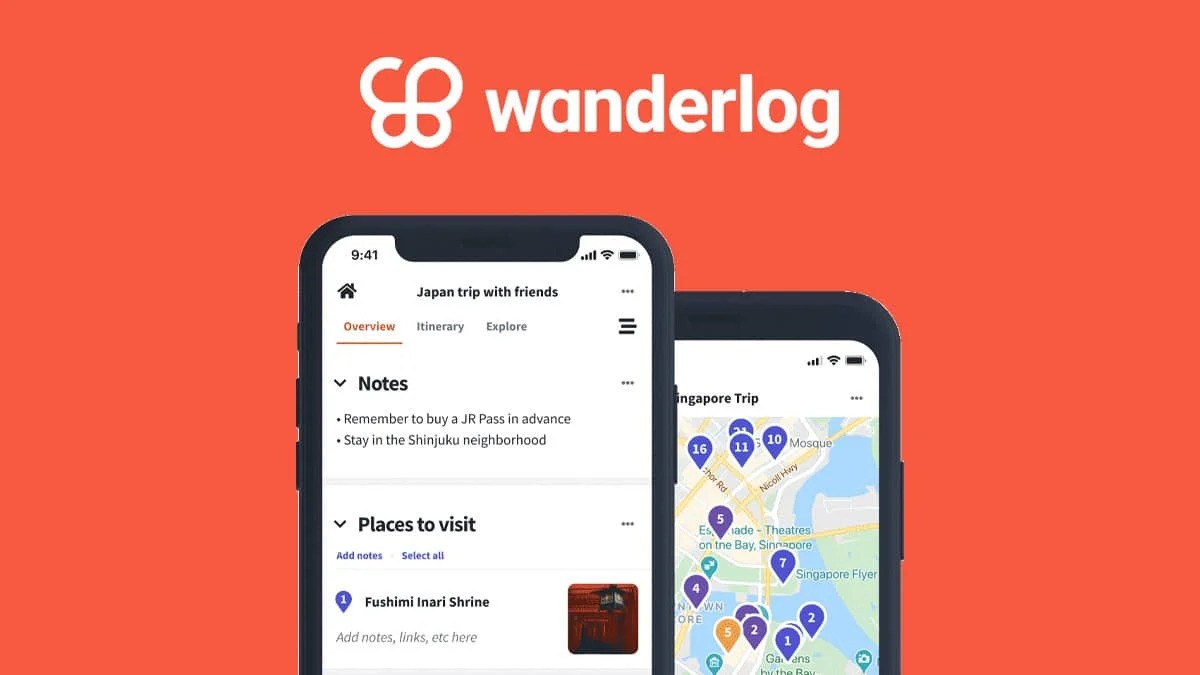
Beyond expense tracking, coordinating what everyone actually wants to do is its own challenge. Wanderlog lets multiple collaborators add suggestions to a shared itinerary, vote on activities, and leave comments, acting essentially as a group planning board that's also a map. This eliminates the endless group chat threads of competing restaurant recommendations.

WhatsApp uses Wi-Fi or mobile data rather than standard SMS, which means international group communication stays free regardless of which country each person is calling from. Tour guides, accommodation hosts, and local service providers across much of Europe, Asia, Latin America, and Africa use WhatsApp as their primary contact method. Having it set up before you travel removes a friction point that catches many first-time international travelers off guard.
Price:Free.
Build Your Personal Travel App Stack
Use this table to identify which apps to download based on your travel style. You don’t need every column. Just pick the row that fits your trip, download those apps, and delete anything you won’t actually open.
| Travel Style | Recommended App Stack |
| Budget Solo Traveler | Skyscanner + Hopper + TripIt (free) + Google Maps (offline) + Google Translate |
| Family Vacation | Booking.com + Airbnb + Wanderlog + TripIt + Google Maps + Splitwise |
| Group Friends Trip | Wanderlog (shared) + Splitwise + Skyscanner + Booking.com + WhatsApp |
| Road Trip (US) | Waze + Roadtrippers + Hotel Tonight + Google Maps + Hopper |
| Frequent International Traveler | TripIt Pro + Skyscanner + Hopper + Rome2Rio + Google Maps + Google Translate + AllTrails |
Pre-Trip App Checklist - 7 Things To Do Before You Leave
Running through this list once before departure saves significant frustration on the road.
- Download offline maps in Google Maps for every city or region you'll visit.
- Download Google Translate language packs for your destination languages.
- Open each app you plan to use and confirm you're still logged in because updates sometimes log you out.
- Set a Hopper price watch for any remaining travel purchases you haven’t booked.
- Forward all existing confirmation emails to TripIt and review your generated itinerary for accuracy.
- Share your Wanderlog itinerary link with any travel companions and confirm they can view and edit it.
- Create a Splitwise group for your trip and invite your travel companions before departure.
Frequently Asked Questions
Should I Book Everything Through Apps Or Use A Desktop Too?
Use a desktop for detailed comparison and multi-tab research, especially for complex itineraries. Use apps for price alerts, last-minute bookings, and on-the-go access to reservations. The best workflow usually combines both.
Do Travel Apps Drain Phone Battery Faster While Abroad?
Yes, especially navigation and translation apps that use GPS or your camera. Carry a power bank and close apps running in the background. Downloading offline data also reduces battery strain from constant signal searching.
Are Travel Apps Safe To Use On Public Wi-Fi?
They are generally safe, but avoid entering payment details on unsecured networks. Use a VPN if possible and enable two-factor authentication on booking accounts. Logging out of shared devices is essential.
What If I Lose Internet Access Completely?
Offline maps, saved reservations (screenshots or downloaded PDFs), and downloaded language packs become essential. Always save critical information locally on your device before departure. Don’t rely solely on cloud access.
Should I Delete Travel Apps After My Trip?
If you travel infrequently, deleting them reduces clutter and background data usage. Keep only the ones you use regularly, such as navigation or language apps. You can always reinstall others before your next trip.
Do I Need Different Apps For Domestic And International Travel?
Not usually. The same core apps work for both, but international travel makes offline access, translation, and messaging apps more critical. Domestic trips typically require fewer tools overall.
Your App Stack, Not A Download List
The best travel apps for planning trips aren’t the ones with the most features or the highest App Store ratings. They’re the ones you’ll actually open at the right moment, with information that's already been prepared.
The travelers who get the most out of these tools aren’t the ones who downloaded the most apps. They’re the ones who downloaded the right ones, set them up properly before departure, and arrived at their destination ready to actually explore.
Jump to
Here’s What You’ll Learn In This Article:
Apps For Planning Trips - A Stage-By-Stage System That Cuts The Clutter
Why Most Travel App Lists Get It Wrong
Inspiration And Flight Research Apps
Itinerary Planning And Organization Apps
Booking Apps For Accommodation And Transport
In-Trip Navigation And On-The-Ground Apps
Group Travel And Shared Expense Apps
Build Your Personal Travel App Stack
Pre-Trip App Checklist - 7 Things To Do Before You Leave
Frequently Asked Questions
Your App Stack, Not A Download List

Finn Wilde
Author
For Finn Wilde, the wilderness is more than just a destination - it’s a way of life. Over the past decade, he has led multiple expeditions in some of the world’s most remote regions, from the icy fjords of Greenland to the rugged trails of Patagonia.
Finn emphasizes sustainability in all of his adventures, helping participants connect with nature while promoting responsible exploration. His expeditions inspire individuals to explore the great outdoors while fostering a deep respect for the environment.

Liam Jones
Reviewer
Liam Jones has made it his mission to prove that adventure doesn’t need a hefty budget. Having traveled to over 40 countries, he specializes in finding affordable ways to experience the world, from the best street food in Bangkok to hidden gems in Lisbon.
Liam’s travel tips have reached thousands of readers, empowering them to see the world on a shoestring budget without sacrificing quality. With a deep passion for local cultures, he continues to share his travel hacks, ensuring adventure remains accessible to all.
Latest Articles
Popular Articles